

Home › Forums › Campfire Forum › Posting Pictures in the Forums
-
AuthorPosts
-
-
The best way to put a photo in your post is to use an online photo storage site like Photobucket, Snapfish, Flickr, etc. Most of them have free accounts. For this example I will use Photobucket, but I believe the sharing links are similar on the other sites.
Once you have set up your account at http://www.photobucket.com and are logged in, you’ll see a little icon of a person right next to the orange “cart” button. Hover over that and select Settings. Click on the Albums tab. Near the bottom you’ll see a link for Customize Upload Options. Select the button for 640×480. Click Save. Once this is set you should not have to change it. Now you can upload and share the pictures and they should be the right size. Please do not go any larger than that for our site. (You only need to do this once.)
Click the Library tab to see all of your images. The first box allows you to upload images. You can use your computer file system to locate the image and click and drag it into the box, or click the box and navigate to the image on your computer.
Now you should see your images, and several ways that you can share this image. For our forum you want the IMG line. Just click anywhere in that line to select it, then copy the entire line. You need the entire tag and it looks something like this, but quite a bit longer. This is just an example, not the full code.
Paste that line into your forum post and hit preview to see your post with your picture in it. Finish your post and click Save to post your thread/reply so others can see your image.
If you have any problems, please use the Contact Us form and I’ll be happy to help. I use a Mac OS so things might be a little bit different but similar on a PC. Be sure and let me know if there are any glaring errors in my instructions. 😆
Update: You can now attach up to six photos directly to your post. Above the Save/Preview buttons you’ll see “Attach File:” and a Choose File button. Attached photos appear at the end of your text. You would have more versatility using a Photobucket account if you want to place pictures within the lines of your text.
-
Thanks for this review, Robin. Is there any way to copy multiple pics at once so you don’t have to keep bouncing between photobucket and here? dave
-
Two suggestions come to mind. 😀
Open a second window in your browser. (Under File, New Window or New Tab.) Then use that window to open and use Photobucket and leave the TBM window open. You can go back and forth between the two to select the images for your post.
Second option, open a word processing document and paste the IMG tags there. Then you can copy all the lines of code at one time and paste them into your post.
I hope this help. If you have any more questions, please feel free to post them.
-
I agree!:D It is much easier to post your photos in the Photo Galleries on this site. I am open to anyone that has an easier way to do this, or to explain it.
-
don’t mistake jpeg for pdf. The site doesn’t appear to take pdfs.
-
http://share.shutterfly.com/action/welcome?sid=2AbNWTRyzas3Lw
Ahhhh the sorrow for a premillenium bowhunter
-
Uh Larry — ain’t we already double post-millenial/ium? Sorry, I’m easily confused but as a lefty who writes “upside down” I can relate to the slanted lines in your journal — the lines, not necessarily the words! 😛 dave
-
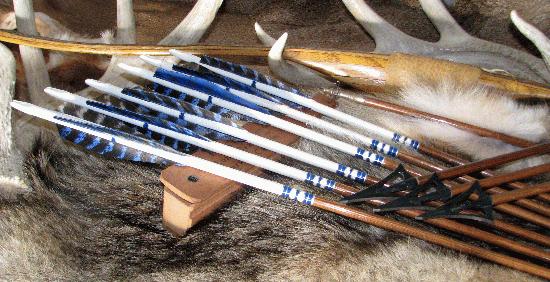
 My bow is so quiet I made some stealth arrows. Very stealthy little suckers when they dodge the target.
Just seeing if I remember how to do this. Besides, I like my arrows made with the turkey feathers from my turkey I managed to outsmart (actually, I was the luckiest of the two). The stone is a fossil bone of something I found. Probably see more game if I spent more time looking up than down for goodies. And yes, private land!!!!! -
Will try a few here:


-
Hey George,
Those are great looking arrows. That Grizzly looks just like mine except its backwards!
Duncan -
Daniel, the arrow on the Grizzly is a Legacy aluminum. The bottom ones are cedar.
-
Picture test.
-
I will play with this a bit, but my guess it that you can load an image the same way you would from your computer. Send the image to your Photobucket account and then paste the code in your post. I have to sit at the mechanics this morning so I will play with it and get back to you. It certainly won’t be as easy as sending it to Facebook. 😆
-

Sherman the one-eyed cat. We are training him to be a dog cuz we hate cats. Looks like he has a rough life. 🙂 -
I found an iPhone app for Photobucket that works great. Maybe there is one for Droid. There is also a way to email a photo to your account. It came right up when I logged in from my phone. It was awkward so I went with the free app but it’s an option. Thanks for filling the time while waiting for my car. Please post any questions or comments.
-
Robin — Nice picture of a cat-skin quiver! How many arrows will it hold? I hear they taste pretty good too, according to Don T. 😛 dave
-
😯
-
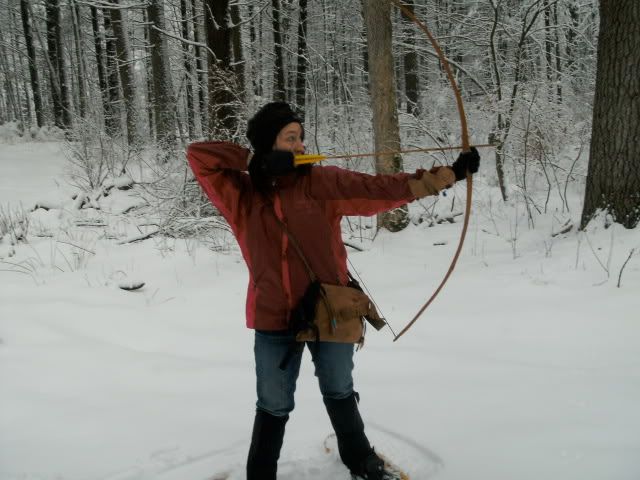
Let’s see.

-
It works! 🙂 Jawge
-
-
Is that house in the picture where you live? Mighty purdy place. dp
-
-
Took a while but I got it to work. Thats twice today Robin that you helped me figure out how to do something on this site.
-
That house is about four miles up the road from mine; the ridge is Buffalo Mountain.
-
Polar Bear wrote: Took a while but I got it to work. Thats twice today Robin that you helped me figure out how to do something on this site.
Just doin’ my job! 8) Glad I could help. Love the polar bear pics. 😀
-
My issue is actually being able to see the photos that are posted using photobucket……….it happens on this iste as well as any other site such as Stickbow, etc. I can see the photos that are loaded directly to the thread but nothing with photobucket, instead I get the dreaded X in an empty box, and when I click on the x evrything gets hung up. Any ideas how to fix this?
-
I’ve noticed the same thing with a lot of Photobucket-hosted pics. Not sure why. I use Imageshack and have never had prob.
-
Hmmm…that is a problem since I’ve encouraged everyone to use Photobucket in my instructions. Could this be a setting on your computer or in your browser program? I use Safari and have set my Preferences (under Appearance) to load images when page opens. I am not too familiar with Internet Explorer or PC settings as I have a Mac. But I’d be happy to look into it. Tell me what system software you use (ie. Windows 7, Windows XP, etc.) and what browser you use (Internet Explorer 7, 8, 9) and I’ll do some more research.
-
Using Firefox 5.0.1 on a Mac. It’s not all the time for me by any means, but it seems like I do see the little “image failed to load” Photobucket icon more than from some other hosting sites.
Are there image size parameters on this BB that might limit the ability to link to huge images that haven’t been resized?
Any particular reason for encouraging Photobucket over other hosting sites?
-
Smithhammer, no special reason for PB except that is the one I was familiar with. It seemed the simplest to use but any program should work, or click on the image icon above (left of the video camera icon) and enter any web address where the photo is stored.
On Safari I can see them okay. I checked under Preferences, Content and Load Image Automatically to make sure I don’t have any Exceptions. Other than that I don’t have any suggestions.
fbahouth, I have Windows XP and IE7 so we’re talking apples and oranges. I went to Tools, Internet Options, Advanced and then Multimedia to make sure “show pictures” was checked. If anyone else here has W7 & IE8 maybe they will chime in with exact wording for your set up. I think there is also a place where you can say Tradbow.com is a trusted site. I fixed it for my sister last year but I’ll be danged if I can remember now how I did it. 🙄 Since W7 is more like Mac maybe there is something like the instructions above for Safari.
If either of you can give me an example of an image that does not show up for you, maybe I can pick at it from that angle. 😀
-
Alright, I checked under multimedia and the “show pictures” is checked, but there is an item above it called “Show image download placeholders” that was unchecked………..so I checked it and I think that may have done the trick. But I am not sure. I can see pictures in this thread but in a couple of spots I see something that tells me that the image or video has been moved or deleted.
I really appreciate all the help; hopefully now I can enjoy all the pictures posted.
-
fbahouth wrote: …I can see pictures in this thread but in a couple of spots I see something that tells me that the image or video has been moved or deleted.
That is a valid message when someone has deleted their photo from their PB account, but didn’t delete the link here on our site. Just ignore those, they have nothing to do with your computer.
Glad I kinda helped. 😆 I have just enough knowledge to be dangerous!
-
Welcome Swamprat! Glad to have you on the site.
Here’s how you do it:
First, size your picture on your computer to 100px wide (about 1.4″ wide). It can be a little taller than 100px tall, but try not to make it too tall. Save the file somewhere handy on your computer.
Then, when you are signed in to the site and at the Campfire Forums go to Profile. Click “Use Other Avatar” and then delete the “http://” in the URL box. Click “Choose file” and find the file that you saved on your computer and select it. The system should fill in that URL line with “http://www.tradbow.com/members/cfmbb…” and then you just click save at the bottom of the screen and it should work.
If it still doesn’t work, send me the picture. I will make it happen. 😉
-
I gave it a go, but still no good…
I keep getting this notice “Please correct the following error(s): Your avatar URL is invalid. Please enter a complete URL.”
Even tried to paste the URL that you gave me in the URL slot… still no good.
How do you want me to send it to you?
-
Email it to me at webmaster@tradbow.com
-
Swamp Rat wrote: Even tried to paste the URL that you gave me in the URL slot… still no good.
Sorry, my instructions weren’t clear. That wasn’t the complete URL for you, just an example of what yours might start with. I think the URL address must be blank before you upload your image. I’m happy to do it for you, I just though I’d better clarify my instructions in case anyone else runs into the same problem.
-
It’s not you; I got the same error when I used the instructions I gave you. I had to go to plan B, which was to upload the photo to a web address first, then put that address in the URL box. That should have worked with your Photobucket account…hmmm.
This way we got to know each other a little. 😆 And I love the picture. Thanks for your patience and have fun on the site. 😀
-
Thanks for taking care of that for me.
It may not be the computer or photo bucket… I know the guy trying to do it, and let’s just say he and computers don’t get along. Bows are a lot more fun and when you get agravated you can shoot something.
-
Anonymous
November 2, 2012 at 3:01 pmPost count: 5Testing upload from my phone. The image was too large so I had to use my Photobucket app.
~Robin

-
You can probably use any image sharing app, but I use Photobucket because I’m familiar with it.
Upload the image from your phone to Photobucket. Press on the small “i” to get the link for sharing, and choose the IMG link by touching it. Then come back to the forum and paste the link into your post. You don’t have to use the icons above the message text box if your link already has the IMG tag.
If all else fails, email the picture to me at webmaster@tradbow.com and tell me where you want it posted. I will make it happen. 😀
-
R2
Great Pictures!
were they taken in the Panhandle?
old Felis concolor is showing up in a lot of interesting places – actually just reclaiming a lot of them, would be better wording.
Scout
-
A comment and a question:
I’m surprised there are any lions in TX, since they are given zero protection by the state, are not game animals, thus can be killed just about anyway you choose.
Question: I can no longer seem to post multiple photos to a single post. I have read the posting instructions and go through the procedure of attaching one, then trying to attach another after the first comes up, but it then deletes the first. What is the trick to posting several pics in a single post? And forgive me for not reading back through all the previous posts here, which may contain the answer. Thanks, Dave
-
Dave-
Yes, you are right about zero status in Tex unfortunately – But there are a surprising number of lions that show up all over the Big Bend and along the Rio Grande /Canadian rivers anyway. They are also being seen more frequently along the river courses in the Plains specifically NE/SD.
Scout.
-
Those pics were taken near the NRA Whittington Center near Raton, NM. There are sightings of mtn. lions around the Panhandle from time to time. My best friend, Gerald Johnson ret. Yellow Jacket Longbows, live south of Amarillo a bit in a canyon that’s a part of Palo Duro Canyon, had a cougar kill and bury the remains and return to feed on a mule deer two or three yrs. ago. A neighbor of his down there observed one running about awhile back. One up around Skellytown was eating someone’s goats here not long ago. They’re around, there’s some mighty rough canyon country around here, the Canadian River breaks are a good example. Where I hunt on the Canadian, one of our members was spooked and wouldn’t take his dogs quail hunting in this one area because of a run in with a cat.
-
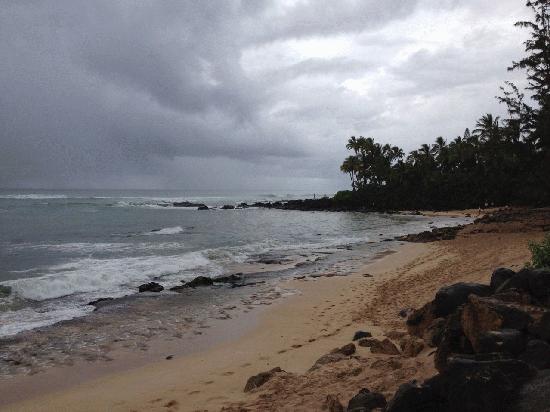
Testing multiple photo upload. Seems to work for me 😀
-
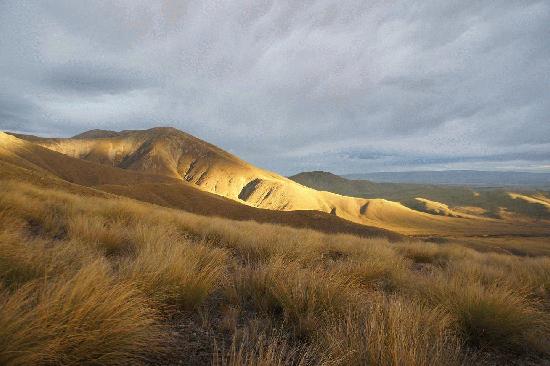
Didn’t you know we had this kind of scenery in Idaho? It’s changed a lot since you lived here. Seriously, T.J.’s new passion for surfing has taken us to some very pretty places, but they aren’t in Idaho. 😀 And that is T.J. in the second picture. Still a kid at heart!
-
Cowabunga Surfs up !
Posting pics is easy for you Robin — mostly, because you are smarter than most of us!! haha
Grew up in Socal Surfing – great sport – have to really be in shape to do it well — Looks like TJ is
Have fun! the tough part any more [ as with a lot of activities]is finding an uncrowded beach. which at least in this pic you did!
Scout
-
Scout, where and when in SoCal? I lived in Laguna most of the ’70s.
Rumor has it the Conrads are moving to Puerto Rico to start “Traditional Surfer” magazine. Second, third childhood and all that. 😆
-
I knew I shoulda posted pictures of our grandson!
It’s Costa Rica, not Puerto Rico…I’ve lost count of the number of second childhoods this guy’s had! Not complaining as I have been on many adventures; never a dull moment! But we are home now, working on the next issue, and the one after that. No new magazines for us…one is enough.
And Scout, I am not smarter than you guys, but I did stay at a Holiday Inn once. 😀 I’m thinking ol’ Elkheart was hitting the wrong buttons 😉
-
Big Dave —
Off and on thru my childhood. Mostly just down the coast from you. San Diego, Oceanside, and San Clemente High [Tridents!] late 60’s–
Laguna was where all the free thinkers hung out – the “cool Cat’s”– haha
I have to say I really enjoyed living their then, as it “had It all”! Surfing/shooting/archery/hunting/fast cars/motorcycles/hangin in the desert/mtns etc et al— and California Girls –yeehaa [sorry couldn’t help it] of course you married one, you lucky dog–
Actually TJ could probably do a Trad Surfer mag and pull it off!! as that sport has suffered under similiar “problems” as Archery during my Life.
Robin– I will try again in the near future to post a pic – last time I didn’t get there — Dave is also smarter than I, as he has posted many and I am still working on my first one!?! Costa Rica -great fishing and still pretty rustic -without too much security concerns–
scout
-
 [/img]
http://s1204.beta.photobucket.com/user/cyberscout101/profile/
Here we go, made it —I took this Javelina in the Davis mtns TX earlier this yr and with Robins help finally got it here
The Bow is a Centaur R/D longbow [tricarbon]56Lbs @ 27 56″ shooting axis 400s with a centaur BH[170gr][similar to a shark].
Scout
-
 [/img]
here us a 2nd javelina taken with my Shrew CH 56lbs @ 27 54″ bow –eskimo BH
scout
-
R2
Thanks – hunting just a lil South of you in TX distance–
Scout
-
😆 Seems everything is “little” somewhere from Amarillo. I used to work (for the power co.) in Carlsbad, Hobbs, Artesia area a lot. My wife is from Artesia as a matter of fact. Used to be long old drives Friday after work and Sunday evenings getting back down there to be there Monday morning. Used to hunt the Guadalupe’s when it cost $33 for non resident archery. Always bought non-res small game license so I could play with bow and not worry bout legality! Love NM.

My latest 😆
-
R2 –
That looks like a “Texas Heart shot” on that 3d pig!?! haha
Yes NM used to be great hunting. Still pretty good for some animals in certain parts.Getting tougher to draw and more expensive for all —
Scout.
-
GRRRRRRRRRRRRRRRRRR
I loaded a bunch of photos to the bucket, and forgot to tell it the 640×480, how do I make them all 640×480????
Keep in mind that I am old enough to be your father (tech capable, NOT tech inclined), and GRUMPY. Why is it soooooo easy to add photos everywhere else and soooo hard to add tham here????
-
Hi Grumpy. I’m sorry this site seems harder to use than others. Your question is really a Photobucket question, and I hope I can help.
Go into your Photobucket account. From the Home page you will see a menu along the top. One of the choices is “Edit”. Click that and select the image you want to edit. From there you will see an option to “Resize”. Make it 640 wide by whatever height and click “Apply.” If you want it to change your original (I think you do, otherwise you will have two versions of each image) click the box that says “Replace Original.” Then save it and go on to the next one.
If you run into any trouble, just post here or email me at webmaster@tradbow.com. Good luck!
-
Just a tast pic
-
Test pic
-
Hey Mom,,,,Why is there a red X instead of a photo in the avatar spot on my posts? I have noticed it on a couple of other’s also.
Thanks for your time.
-
Arid zone A wrote: Hey Mom,,,,Why is there a red X instead of a photo in the avatar spot on my posts? I have noticed it on a couple of other’s also.
Thanks for your time.
Do you have a Gravatar account under the new email address? If not, we can get it to work several other ways. If the image is on Photobucket, copy the link next to “Direct” and paste that into your profile under “Use Other Avatar” where it asks for the URL.
I would be happy to do it for you. Email the picture and I’ll get it to work. My email is webmaster@tradbow.com. I can also fix your user name if you like. Email me the user name, password and email address you want to use.
-
Thanks Mom,,,I will just keep the new info. You got enought work to do.
-
Is that Pepe le Pew?
The ice is so dang hard around here it ain’t leaving any tracks other than remnants of vehicles colliding.

That may not be scary to some but that’s 1/2″ of solid ice and I ain’t movin’.
It’s mule deer season but I don’t wanna drive 60 miles on solid ice to go. Driving me nuts though (pun 8) )
They’re low enough IQ’s running around on the roads without deducting ice from their score.
-
I have a hunting album uploaded on postimg.org is that compatible with the forum? I’d like to share some of my favorites.
-
Testing picture.
-
I did get one picture to post from my IPhone. Sometimes it says the picture is to big; some pictures will work. What makes a picture bigger than another picture? Probably a stupid question; just curious as to why some will work and some want.
-
Matt, I’d love to know the answer to that question. I’m using an iphone and wonder how to reduce the images without putting them in a program like photoshop. There must be an easier way. thanks, david
-
Hi Matt and David. While testing this out, I did find out a few things. When I try to attach an image that I took on my phone, the file is too large. But when I attach a file I saved from Facebook, it worked just fine. Matt, could that be the case with your photo that worked vs the one that didn’t?
I don’t know how to resize pictures in iPhoto on the phone. I’ll see if I can do a little more research on that.
-
Hi Robin, thanks for checking this out. It would be handy to be able shoot (photos) and post away from the desk. Possibly the web developer might have an option. Thank you very much! Dwc
-
October 25, 2016 at 5:07 pmPost count: 5
Testing
-
I found an app called Image Size (in iTunes) that worked very easily to resize my image and save a copy to iPhoto. I had a hard time figuring out which one was the smaller file, but I changed the last image in my phone, so they were next to each other. When I changed an older image, the smaller photo became the last image in my folder. Does that make sense? There were several apps to choose from if you want an app that does more than just resize an image.
The standard size for our forum is 640px wide. If you save the image larger than that it will probably still work, as long as the file is under 1Mb. But if you’re gonna change it, why not change it to the right size? 😀
I haven’t checked, but I imagine that Android has a similar app for this kind of thing.
Another suggestion is to email the photo to yourself, and you can select what size you want to send. To me, that is not as precise as the app.
-
I used the email tip. It worked great. Thanks.
-
-
AuthorPosts








- You must be logged in to reply to this topic.